So you bought a Bluetooth Tesla coil
Congrats. You've got a box with a circuit board, maybe some acrylic standoffs, and a coil of copper wire that's going to shoot tiny lightning bolts out the top. The listing probably said something like "plays music via Bluetooth" and showed a video of it playing the Imperial March.
Now you need to actually make that happen.
The good news is it's not complicated. The bad news is most of the instructions that ship with these kits are... not helpful. Usually a single page in broken English that tells you to "connect Bluetooth and play music." Which is technically correct but leaves out everything that matters.
How Bluetooth Tesla coils work (30 second version)
Your coil has a Bluetooth audio receiver built into its driver board. It shows up on your phone like a Bluetooth speaker. When you send audio to it, the driver board converts the audio signal into high-frequency switching pulses that fire the coil. The frequency of the audio becomes the pitch of the arc. Higher frequencies make higher notes.
The catch: it only responds well to certain kinds of audio. A Spotify playlist is going to sound terrible (or produce no visible arc at all) because most recorded music has too many frequencies mixed together. The coil can only play one or two notes at a time. It needs simple, clean signals.
Step 1: Pair it like any other Bluetooth device
Turn on the coil. Open your phone's Bluetooth settings. Look for something like "BT-Tesla" or "JDY-64A" or "BT-Audio" or just "Tesla Coil." Every manufacturer names it differently, and some don't name it anything useful at all.
If you don't see it, make sure the coil is powered on and the driver board LED is blinking. Some coils need 30 seconds after power-on before the Bluetooth module initialises.
Tap to pair. No PIN required on most models (if it asks, try 0000 or 1234).
Step 2: Forget about Spotify for now
I know, you want to blast Thunderstruck through lightning. It'll get there eventually but that's not where you start.
Regular music from Spotify, YouTube, or Apple Music is mixed for speakers. It has bass, drums, vocals, synths, effects, all layered on top of each other. Your coil can't separate those. What comes out is a buzzy, distorted mess... or nothing at all because the signal's too complex for the driver to track.
What you want is monophonic audio. One note at a time, clean square waves or sawtooth waves. Think old-school video game music, not a full band.
Step 3: Use an app that generates the right signals
This is where most people get stuck. The coil works fine. Their phone pairs fine. But they don't have anything that outputs the right kind of audio.
You need something that generates simple waveforms in real time. A few options:
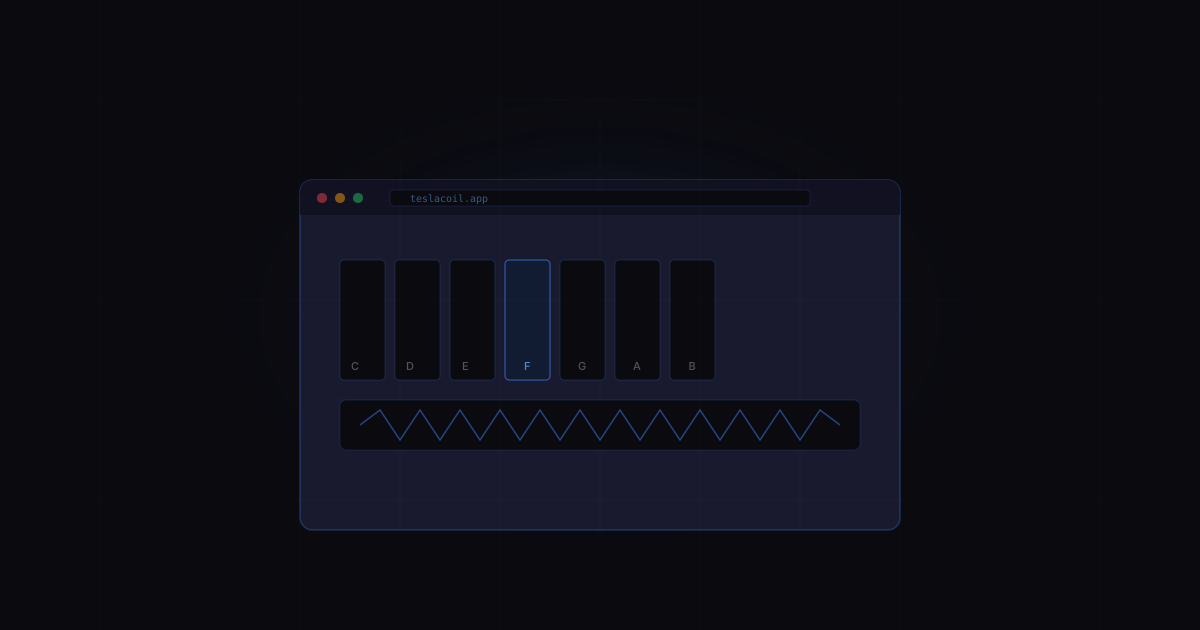
Tesla Coil Audio Driver (teslacoil.app) is built specifically for this. Open it on your phone, pick an instrument (keyboard, sequencer, theremin, whatever), and play. The audio output is already optimised for Tesla coils - square waves, single voice, proper frequency range. No setup, no download, works in your browser.
Function generator apps can work too, but you'll be manually dialing in frequencies with no musical interface. Fine for testing, not great for actually playing music.
MIDI players with square wave output are another option if you have MIDI files, but you need to make sure the output is monophonic.
Step 4: Get your volume right
This trips people up constantly. The volume on your phone controls how loud the signal is, and louder signal means longer arc time (effectively "louder" arcs). But there's a sweet spot.
Too low: The coil doesn't fire at all, or fires inconsistently. Tiny sparks or nothing.
Too high: The arcs look great but you're pushing the duty cycle and your coil gets hot. Some driver boards have protection circuits, some don't. Start at about 70-80% volume and work up.
Just right: Clean, consistent arcs that track the pitch of whatever you're playing. The arc length should change smoothly as you change volume.
If you hear crackling or the arc looks "spitty" instead of smooth, your volume might be too high or there's too much harmonic content in the signal.
Step 5: Play something
With the coil paired and a proper signal source running, try this:
- Open a keyboard instrument (or the one at teslacoil.app)
- Set volume to about 75%
- Play a single note in the mid range (C4 to C5 works well)
- You should see an arc and hear a clear tone
If it works, try sliding up and down the keyboard. The pitch of the buzzing arc should follow your finger. Try the lower octaves too - they produce a different, more aggressive sound because the switching frequency drops into the audible range in a different way.
Troubleshooting
No arc at all: Check volume (too low?), check that the coil is actually paired (some phones show "connected" but route audio elsewhere), check that audio is playing (mute switch, Do Not Disturb mode).
Arc but no pitch change: The driver might not be tracking the audio frequency. Some cheap driver boards only respond to certain frequency ranges. Try notes between 200Hz and 2kHz.
Sounds terrible / just buzzing: The audio source has too many frequencies. Switch to a single-voice square wave. If using teslacoil.app, make sure you're on the keyboard or theremin, not playing a pre-recorded song.
Bluetooth keeps disconnecting: Known issue with some coil kits. The Bluetooth module draws power from the driver board and can brown out when the coil is firing hard. Try lower volume or shorter play sessions.
Latency feels weird: Bluetooth audio has about 100-200ms of delay. You press a note and the arc fires a beat later. That's normal and there's no fix for it with Bluetooth. You get used to it. For tighter response, use a 3.5mm audio cable instead.
What about playing actual songs?
Once you've got single notes working reliably, you can graduate to songs. The key is finding arrangements that are already monophonic or close to it. Good places to start:
- Video game soundtracks from 8-bit and 16-bit consoles (already designed for simple waveforms)
- MIDI files of classical melodies (the melody line solo)
- The preset library in Tesla Coil Audio Driver (already tested and optimised for coils)
- The TB-303 acid sequencer at teslacoil.app/303 (single voice, pattern based, sounds wild through an arc)
You can also try regular music at this point. Some songs actually work ok - anything with a prominent, clean lead line. But keep expectations realistic. A Tesla coil playing Spotify sounds nothing like the YouTube videos, because those videos use much larger coils with better driver electronics and carefully prepared audio.
One more thing
Keep your sessions short at first. 5-10 minutes, then let the coil cool down. The driver board and the switching transistors generate heat, and the small Bluetooth coil kits don't have great thermal management. If the acrylic base feels warm, take a break.
And obviously: it's a high voltage device. Don't touch the coil while it's running. Don't let pets near it. Keep it away from electronics you care about. The RF emissions can interfere with WiFi, garage door openers, and basically anything wireless nearby.
Have fun with it. There's something deeply satisfying about making lightning play a tune.